

To add Odds Flucs for specific bookmakers to a personanlised layout:
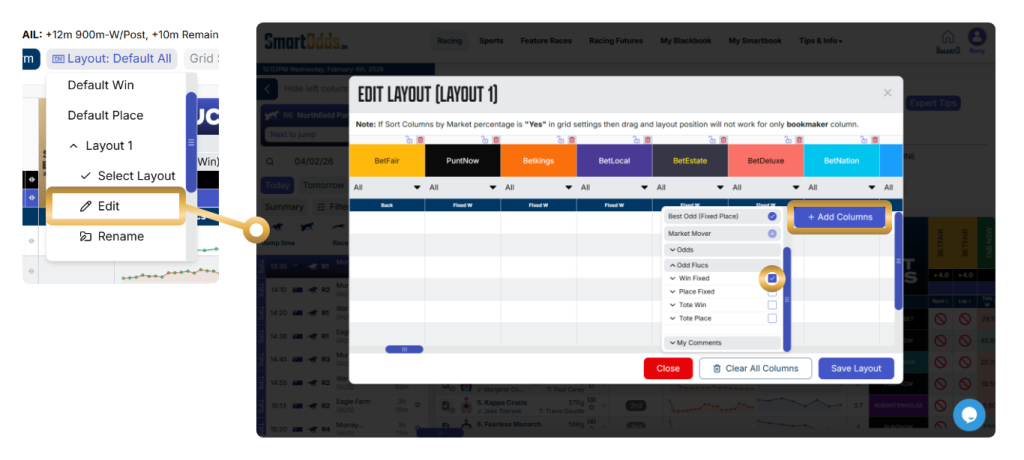
- Click the ‘Layout’ button
- Select a layout to edit, and click ‘Edit’
- Click the ‘+ Add Columns’ button
- In the Odds Flucs dropdown, you can add Win, Place, Win Tote and Place Tote flucs for your preferred bookmakers. Click the dropdown and click the ‘+’ add button
- Click ‘Save Layout’
Once the column is added, you can hover over the fluctuation points in the graph to see the market movement over time. Whether you’re looking for early value, spotting market trends, or confirming sharp money movement—our real-time fluctuation graphs keep you informed.