

SmartOdds offers a many notification features to help you stay in the loop with your favourite races.
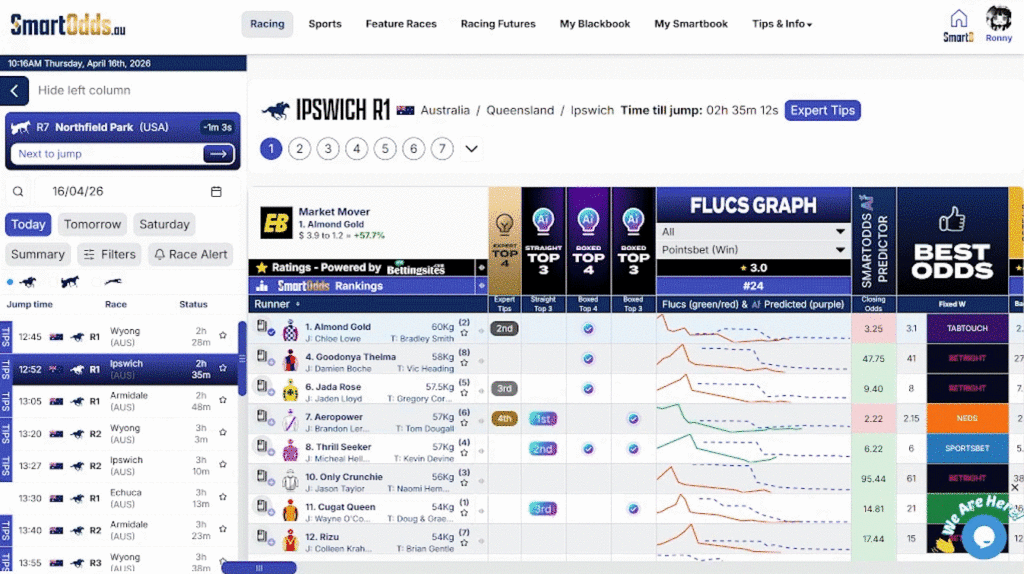
To set a race alert:
- Click ‘Race Alert’ in the left column
- Click ‘Set Race Alert’ in the dropdown
- Check the boxes besides the races you want to be notified for
- Click ‘Save Changes’
A notification bell icon will appear beside the selected race and a pop-up + chime will ring before the each jump time.
Alert Settings
There are several settings you can adjust to customise how SmartOdds sends you alerts.
To manage your alert settings:
- Click ‘Race Alert’ in the left column
- Click ‘Alert Settings’ in the dropdown
In the pop up, you can toggle the chime, whether or not you reveice an email notification, and set the period between the alert and the jump time. For example, you can set the alert to chime at 10 minutes or 30 seconds before jump.