

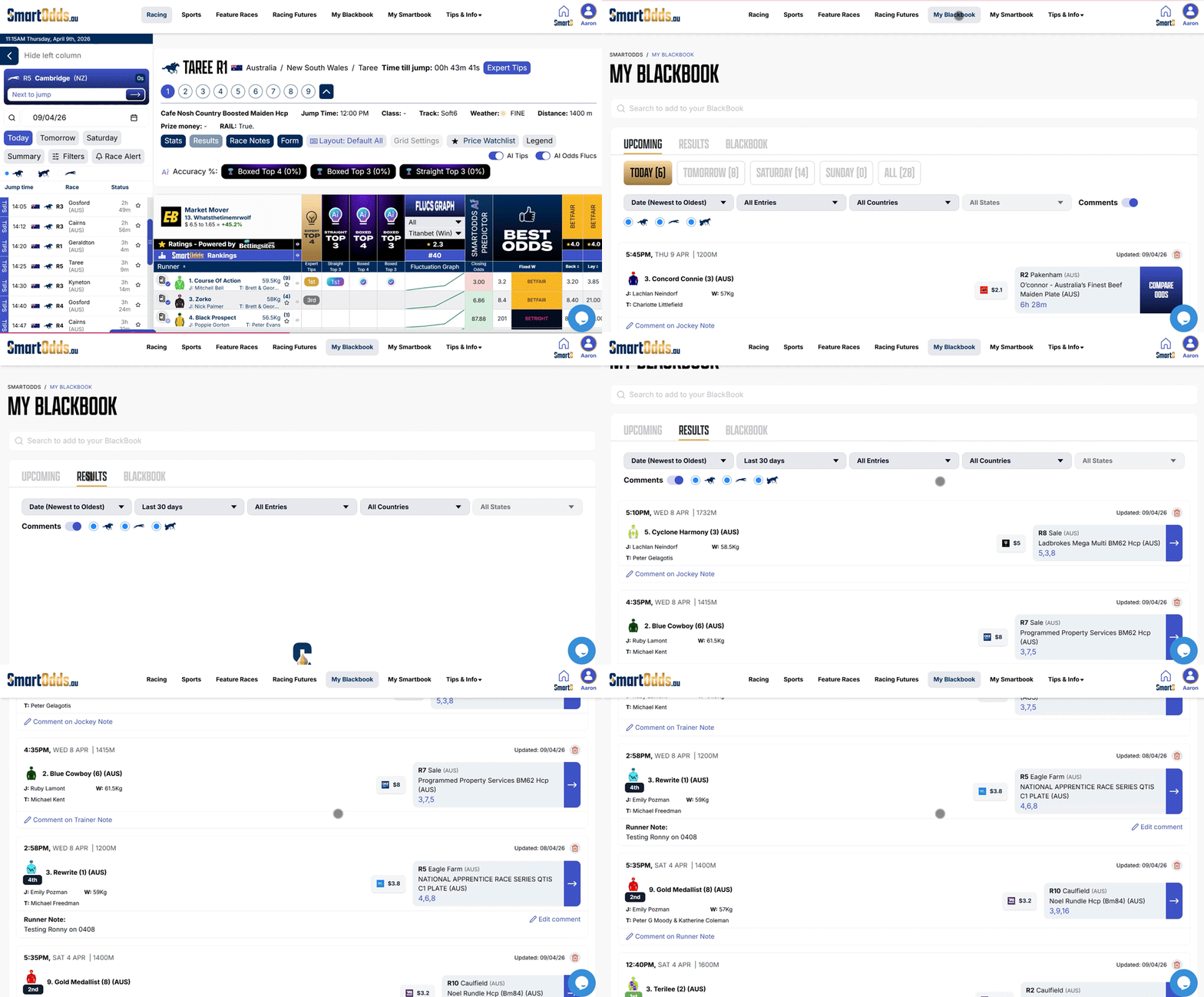
You can view race results for all your saved runners, jockeys, trainers, and tracks directly from your BlackBook.
Step 1: Open your BlackBook
- Navigate to BlackBook from the top menu
- A three-tabbed page will open
Step 2: Go to results
- Click the Results tab
- A list of results for your saved favourites will be displayed
Step 3: Sort and filter results
You can customise the results view by:
- Sorting by date
- Filtering by runner, track, jockey, or trainer
- Filtering by country or state
This makes it easy to track performance across specific favourites or regions.
The Results tab gives you a clear view of how your BlackBook selections have performed, helping you review outcomes and refine your approach over time.