

SmartOdds offers advanced utility functions to help you capture and organise your favourites to help you make the best bets. The BlackBook lets you collect all your favourite Runners, Jockeys and Trainers so you can see all your favourite upcoming events and results in one place.
This guide shows you how to access your BlackBook, how to add Runners, Jockeys, Trainers and Tracks, and how to remove a favourite.
How to access your BlackBook
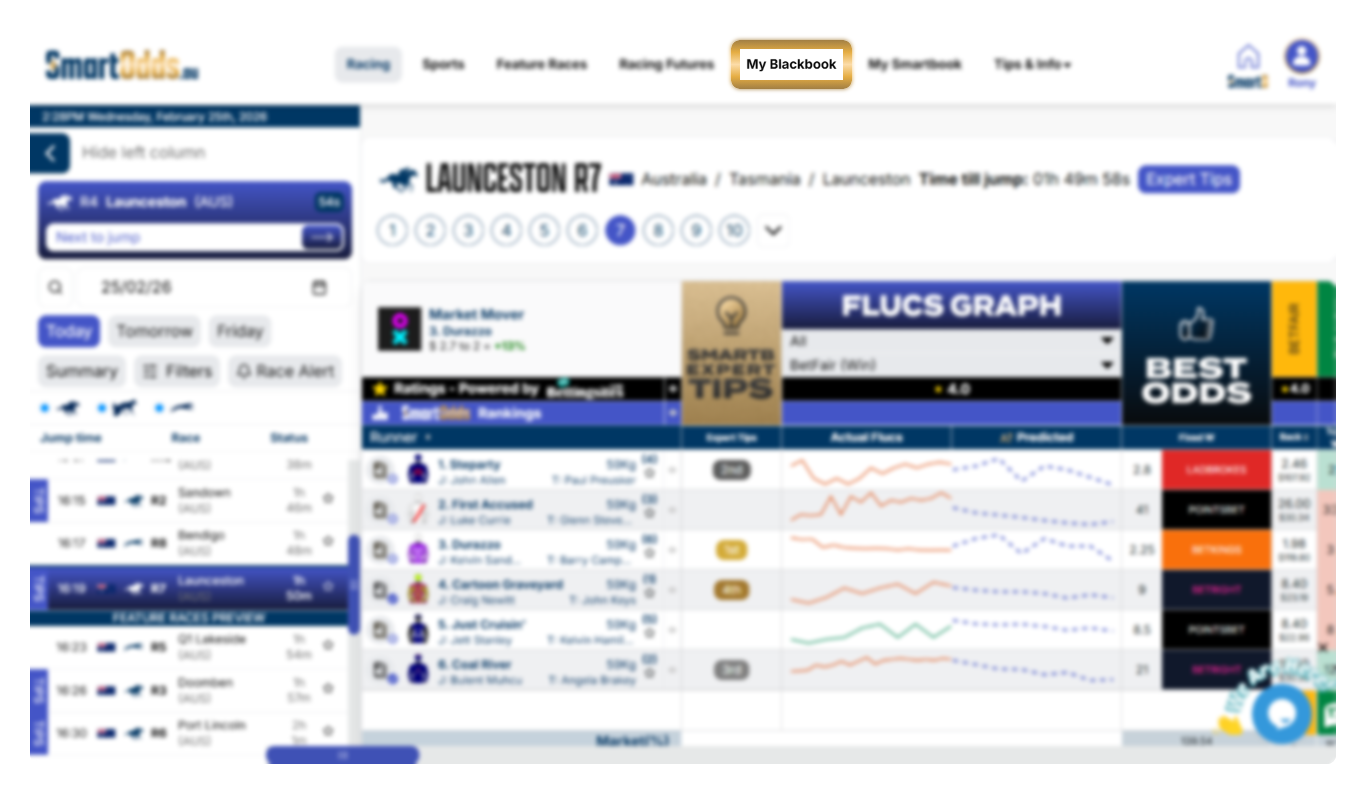
To access your BlackBook:
- Click on ‘My BlackBook’ in the top menu
How to add a runner, jockey or trainer to your BlackBook
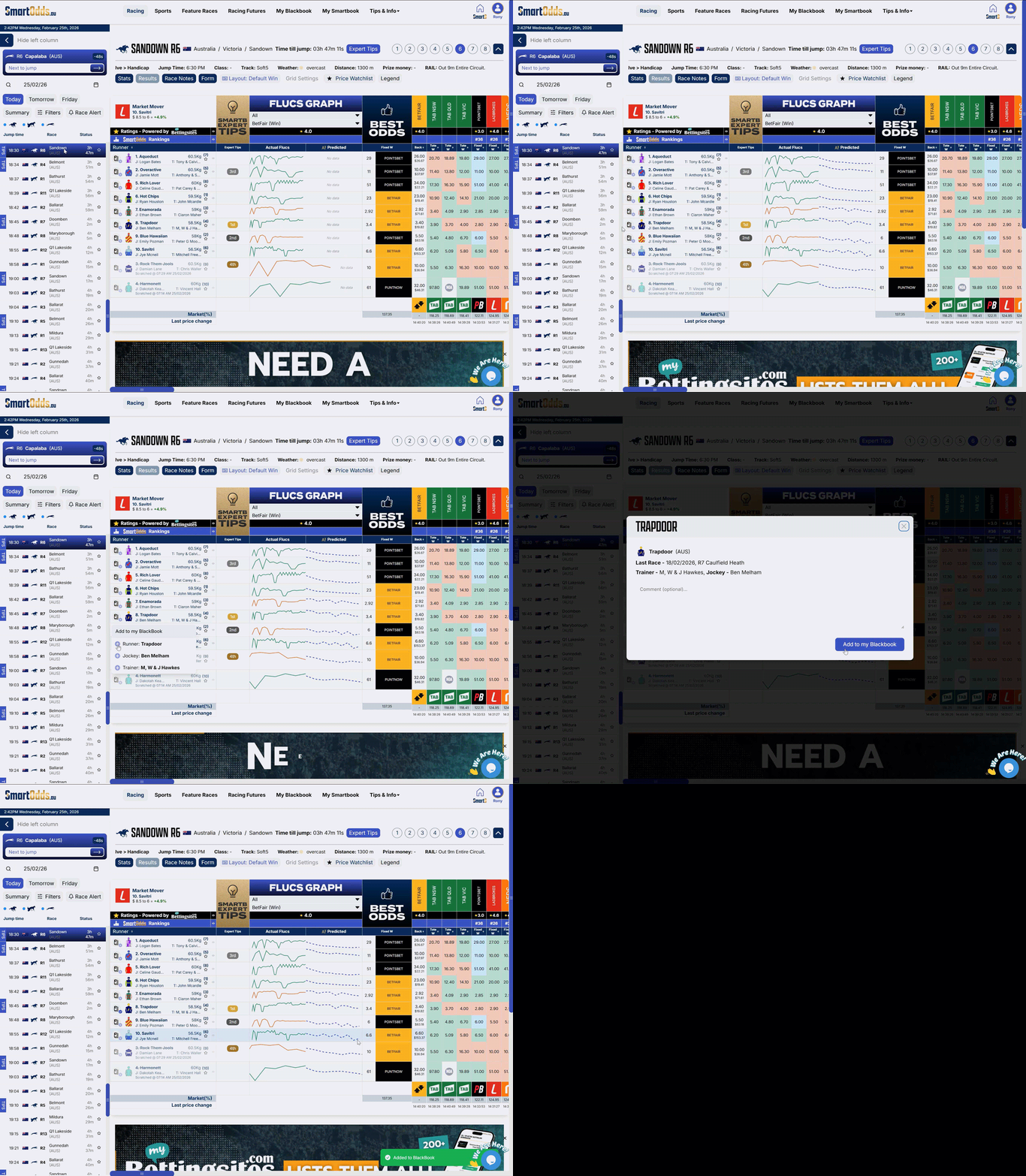
To add a Runner, Jockey or Trainer to your BlackBook:
- Navigate to any race in the left column
- Hover over the ‘Add to my BlackBook’ button next to your favourite runner
- Click the ‘+’ add icon beside the Runner/Jockey/Trainer
- In the overlay, add an optional comment
- Click ‘Add to my BlackBook’
How to manage data in your BlackBook
To delete a Runner, Jockey or Trainer from your BlackBook:
- Click on ‘My BlackBook’ in the top menu
- Navigate to the ‘BlackBook’ tab
- Click the delete icon beside the desired Runner/Jockey or Trainer
To edit a comment:
- Click on ‘My BlackBook’ in the top menu
- Navigate to the ‘BlackBook’ tab
- Click ‘Edit Comment’
- In the overlay, edit the text in the field
- Click ‘Update BlackBook’