

You can view all upcoming races for your saved runners, jockeys, trainers, and tracks directly from your BlackBook.
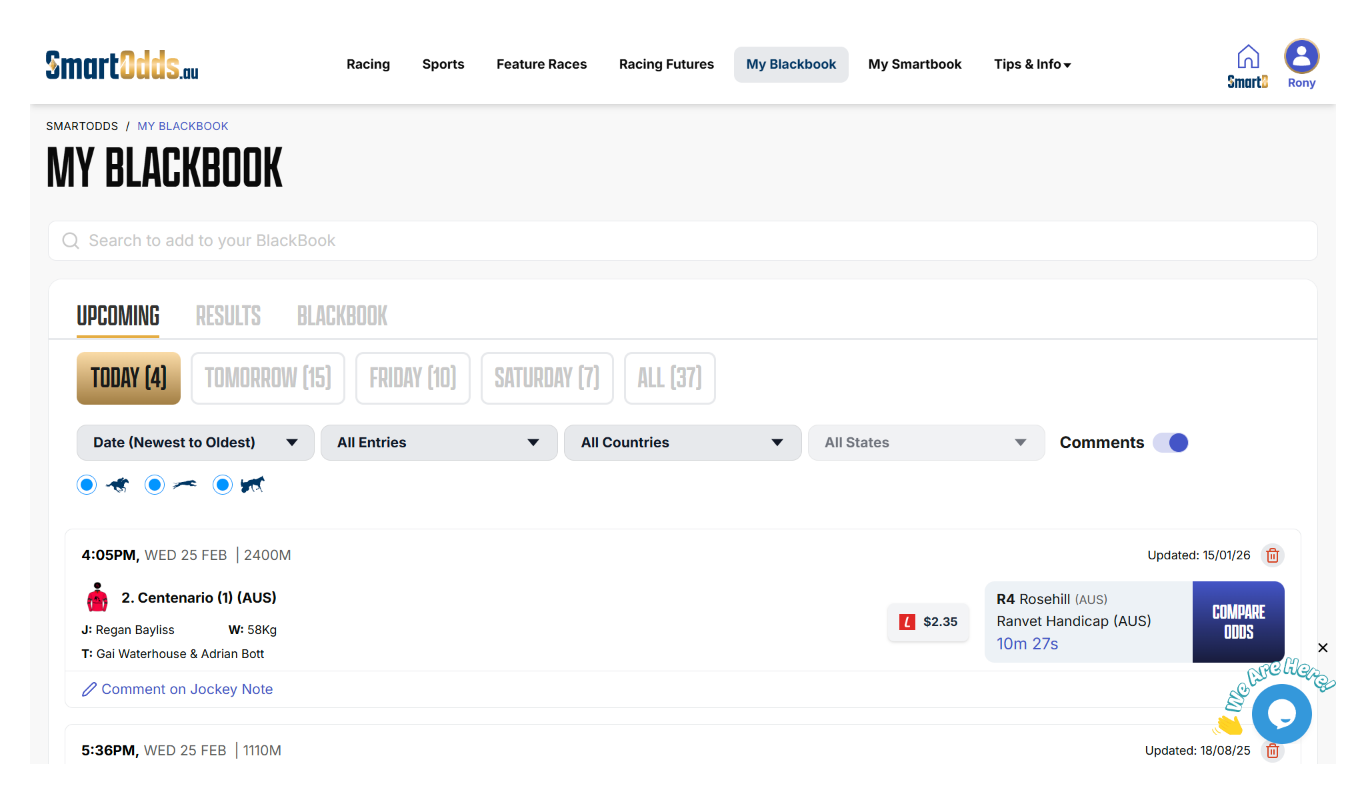
Step 1: Open your BlackBook
- Navigate to BlackBook from the top menu
- A three-tabbed page will open
Step 2: View upcoming events
- Select the Upcoming Events tab (first tab)
- For every saved runner, track, jockey, or trainer, the next scheduled race will appear
- Races are displayed in chronological order, showing the soonest events first
Step 3: Navigate to odds comparison
- Click Compare Odds next to any listed race
- You will be taken directly to the odds comparison table for that eventdy to bet.