

SmartOdds allows you to exclude scratched runners from the odds comparison table by using a custom layout. This helps keep your view clean and focused on active runners only.
Step 1: Open grid settings
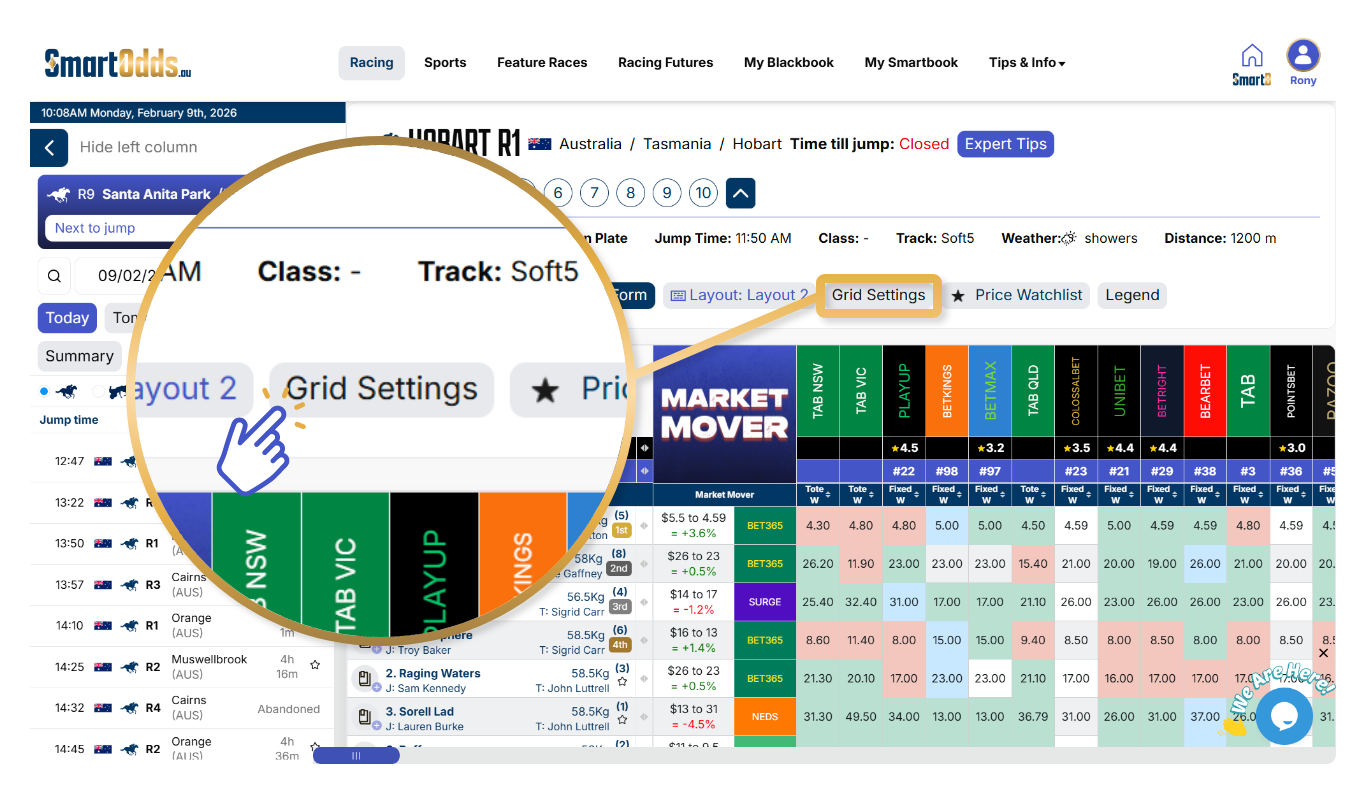
- Select a custom layout
- In the race navigation settings, click Grid Settings
- The grid settings overlay will open
Step 2: Enable exclusion of scratched runners
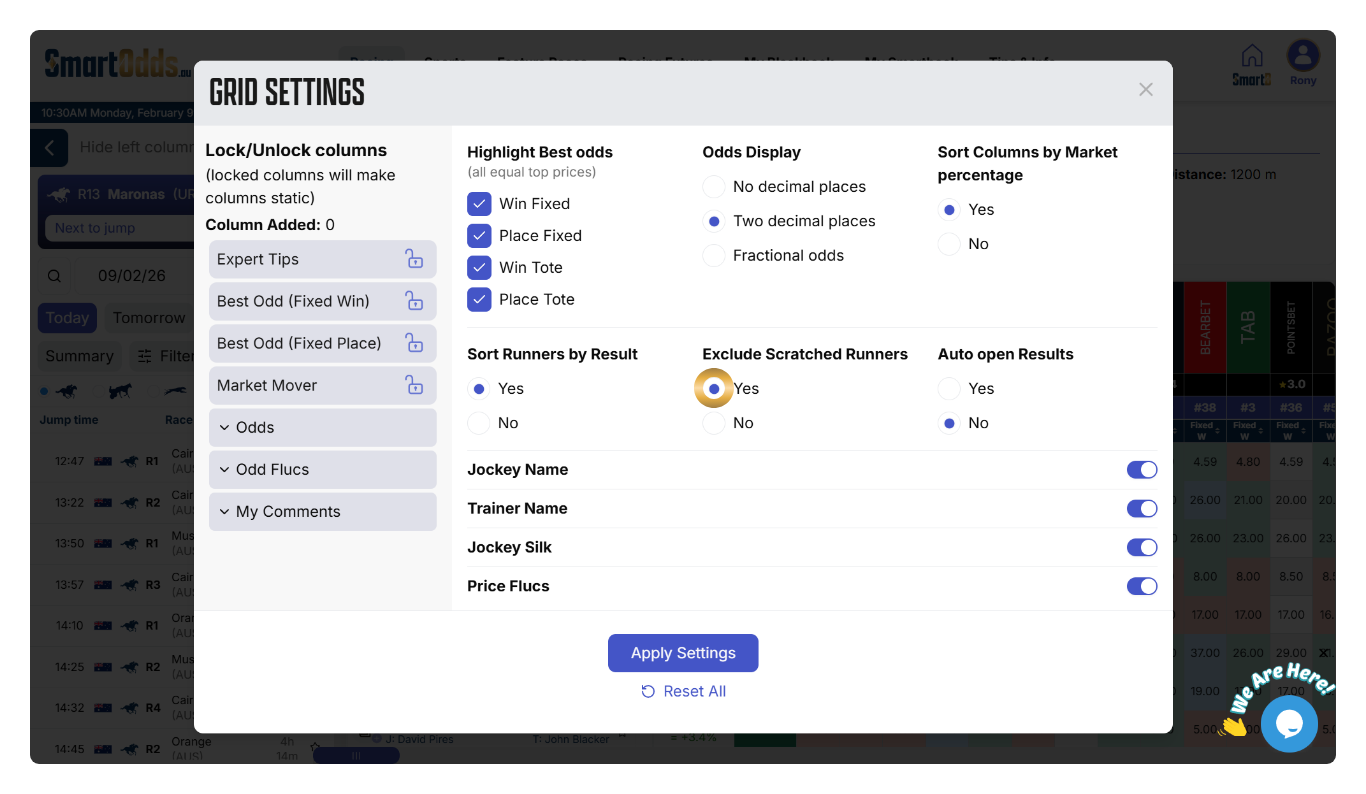
- In the grid settings overlay, locate Exclude Scratched Runners
- Select Yes
- Click Apply Settings
Once this layout is applied, all scratched runners will be excluded from the odds comparison table, making it easier to compare prices for runners still in the race.
This setting is ideal if you want a simplified view without inactive runners appearing in your market comparisons.