

SmartOdds offers a variety of data & insights to help you make the best bets. This guide shows you how to access race stats.
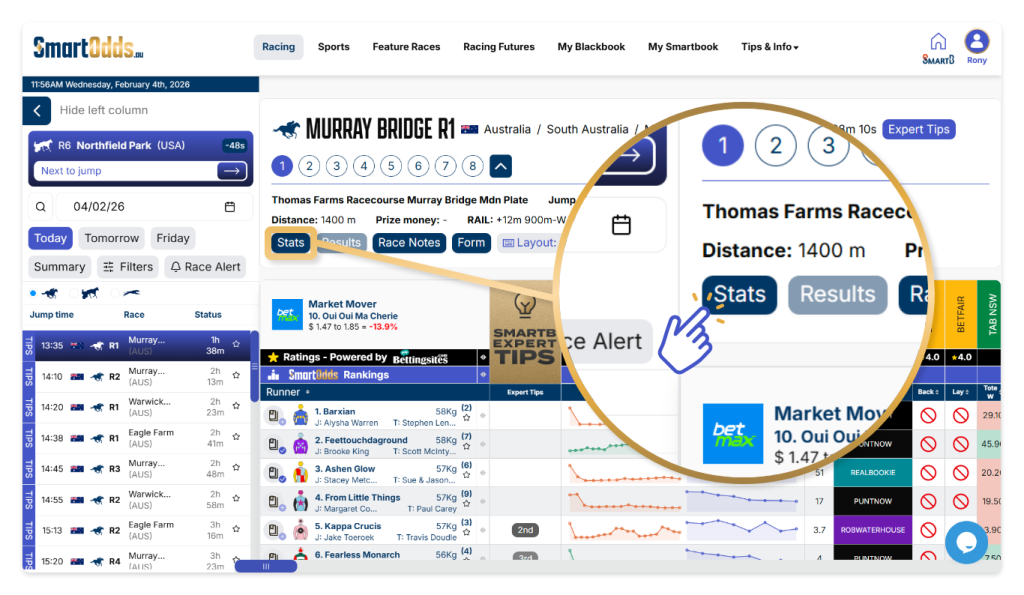
To access Jockey & Trainer Stats:
- Navigate to any race in the left column
- Click ‘Stats’ in the race navigation section
An overlay will appear showing Results, Jockey Stats and Trainer Stats. Depending on the data available, you will find recent performance stats under ‘Last 12 Months’ and career performance under ‘All Time’.
Results
In the Results tab, you can see the latest results for the track, from first to fourth place wins, jockey, starting price and margin information.
Jockey Stats
In the Jockey Stats tab, you will find all the Jockeys with starts for that track with information on the number of starts, their win percentage, place percentage and average win odds.
The stats are grouped by Jockeys with starts in the last 12 months and for all time.
Trainer Stats
Similar to the Jockey stats tab, in the Trainer Stats tab, you will find all the Trainers with starts for that track with information on the number of starts, their win percentage, place percentage and average win odds.
Runner Stats
To access Runner Stats:
- Navigate to any race in the left column
- Hover over any runner
- Click ‘Statistics’ in hover overlay
An overlay will appear showing the runner profile.
- Click on the ‘Stats’ tab
You will find a breakdown of overall starts, and career performance for different track conditions, track types, distances, barrier starts and weights.